Informational Notice
ShreeWin App provides general information, educational content, learning resources and entertainment-focused information. Content is provided for educational, informational and entertainment purposes only and should not be considered financial advice or a guarantee of any outcome.
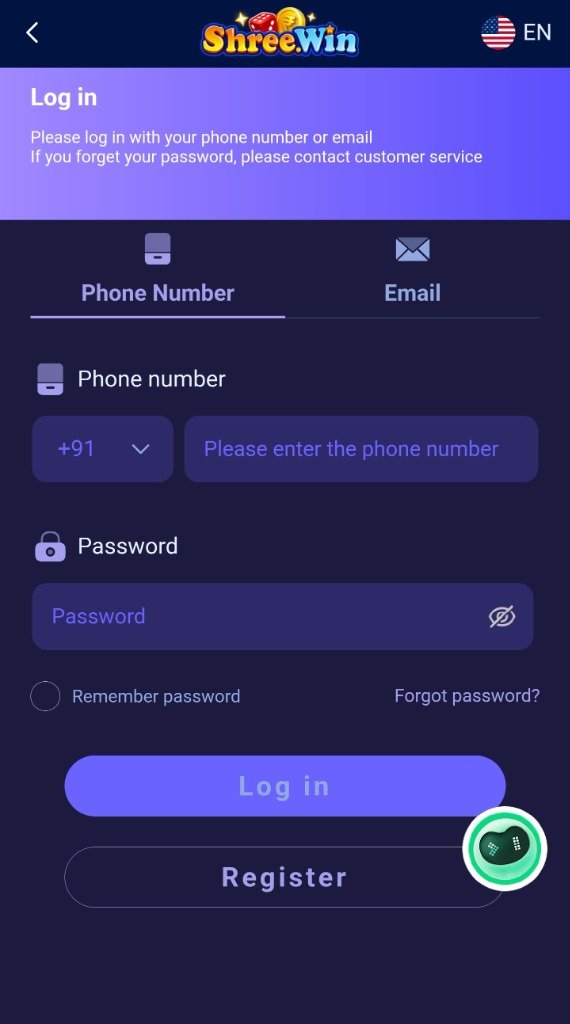
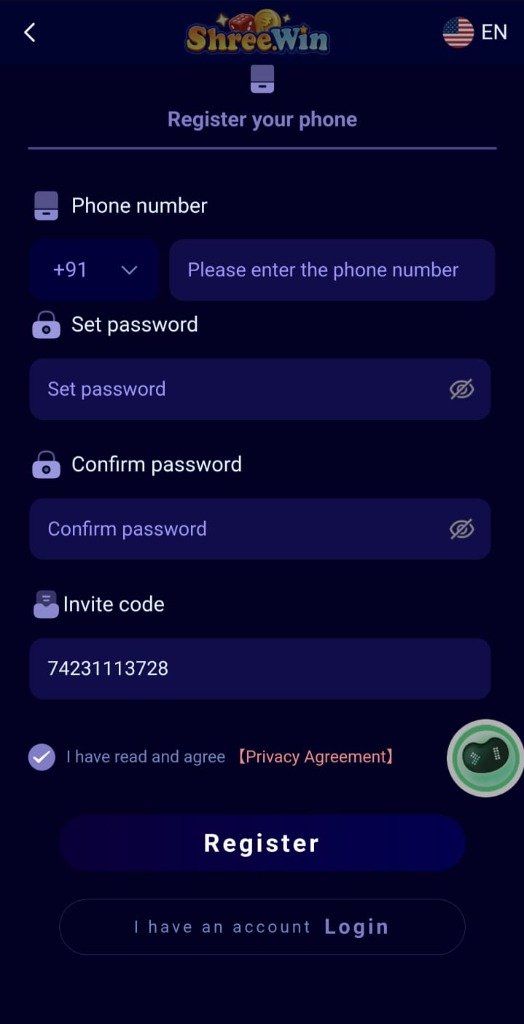
Step-by-Step Account Registration Process
Creating an account on ShreeWin requires careful attention to security hygiene to prevent unauthorized access and protect your personal information.
Step 1: Check Domain Authenticity
Before entering any phone number or password, inspect the address bar of your browser. Confirm that the URL uses https:// and that the domain spelling is exact. Beware of spoofed lookalike domains (such as shree-win-bonus.cc or shreewin-login-free.xyz).
Step 2: Enter Valid Phone Number
On the official registration screen, input your standard 10-digit mobile number. You will receive an SMS One-Time Password (OTP) generated directly by the platform's verification gateway.
Step 3: Formulate a Robust Password
Avoid simple numerical patterns (like 123456 or your birth year). Create a strong passphrase containing:
- At least 8 to 14 characters
- A combination of uppercase and lowercase letters
- Numerical digits and symbols (e.g.,
!@#$%)
Step 4: Optional Recommendation Code
If you have an invitation code from a friend, enter it in the referral field. Make sure to only use codes from individuals you personally know rather than unverified online groups.
Never share your SMS OTP with anyone claiming to be customer care or account managers. Official support will never ask for your verification code.
Safe Login Procedures
When accessing your established account:
- Bookmark the Official URL: Access the portal exclusively through your verified browser bookmark rather than clicking search ads that could point to malicious phishing pages.
- Avoid Public Computers: Do not log in from public internet cafes or shared unsecured Wi-Fi networks.
- Log Out After Sessions: Especially if using a shared family tablet or phone.
Troubleshooting Login Issues
If you receive an "Incorrect Password" or "Account Locked" notification:
- Use the "Forgot Password" link to initiate a direct SMS OTP password reset.
- Clear your browser cookies and cache if the login button fails to respond.
- Verify that Caps Lock is disabled on your keyboard.